
Mercedes-Benz C(W204) LHD 2011-2014 Radio Upgrade with DAB

- Availability: In Stock
- Model Number: 8204

Modern DAB Radio Upgrade for Mercedes-Benz C-Class W204 Left-Hand Drive Models
Aftermarket GPS Navigation Head Unit is specially designed to upgrade Mercedes-Benz C(W204) 2011-2014 factory standard radio(No Navigation System). It has the same plug and harness as original radio, totally plug and play.
Compatibility:
Mercedes-Benz C-Class (W204) 2011, 2012, 2013, 2014 LHD only
Note above year range is for your reference only. Send a photo of the dashboard(radio system) to info@sigmacarstereo.com if you are not sure about compatibility.
1. Please check the media port in the glove box on the passenger side or armrest.
If your car equips with a 3.5mm AUX-IN port, then our product sends audio to the car via the AUX port directly.
If your car equips with MI(Media Interface) port in the glove box/armrest, please add an AMI-AUX cord.
General instructions link: https://www.sigmacarstereo.com/documents/benz-general-instructions.jpg

2. You can use the original command knob and touchscreen to operate the new upgrade system.
You can use the original command knob to operate the original Mercedes-Benz NTG system. The touchscreen does not operate the original Mercedes-Benz NTG system.
Please click here to find your NTG version
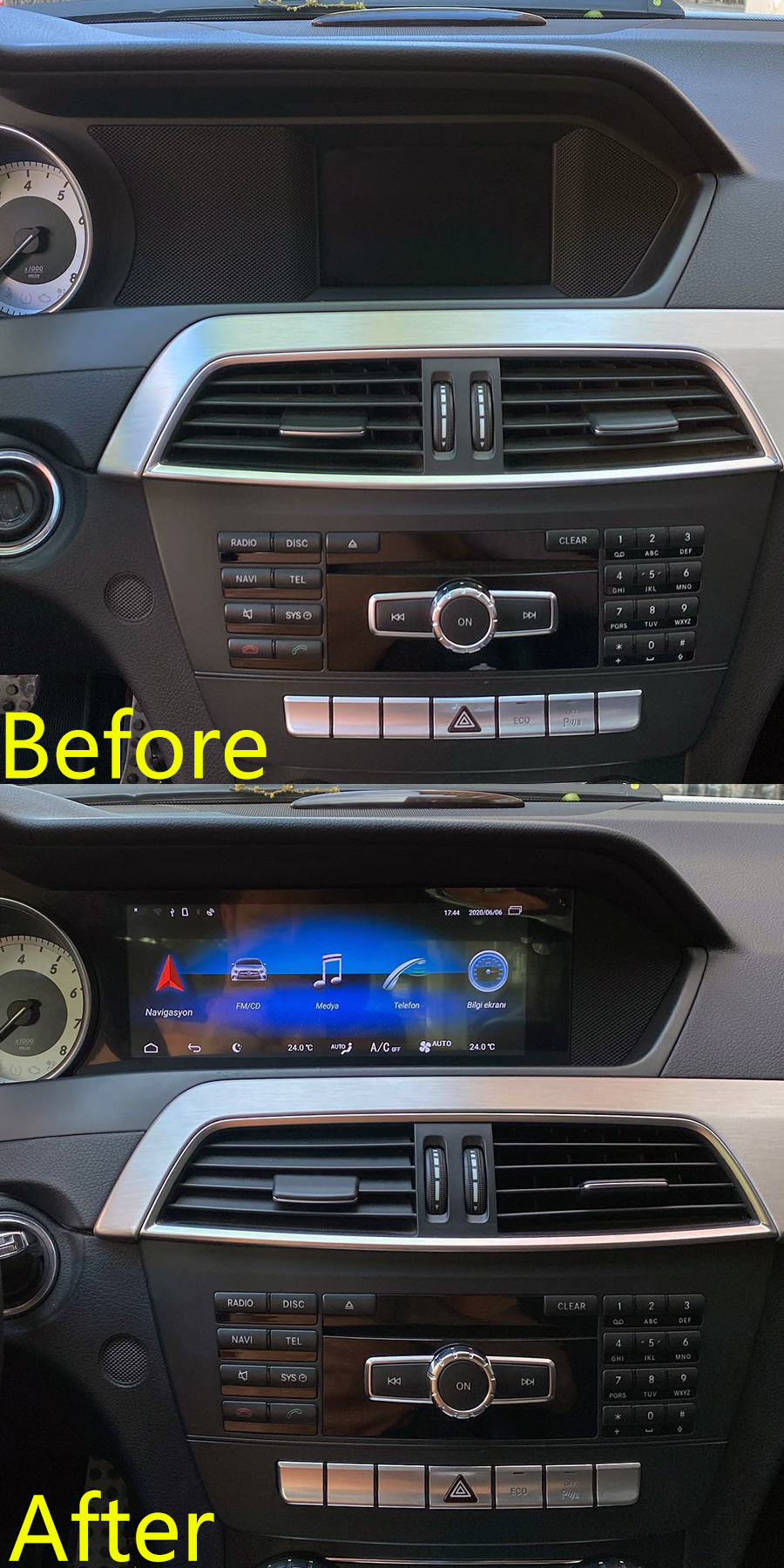
Instalation photo:

| Operating system | Android | |
| Display | 8.8" 1920*720 Capacitive Touch Screen | |
| Processor | Qualcomm Snapdragon 8-core 2.0GHz | |
| Memory | 4GB(optional 6GB/8GB) | |
| Storage | 64GB(optional 128GB/256GB) | |
| SD/TF card | One 3.0 card slot(Max 128GB) | |
| USB port | USB 3.0 ports(Max 64GB) | |
| Video play | MP4, AVI, RMVB, FLV, MKV 4K, H.264(AVC),H.265(HEVC) etc. | |
| Video input | One video input(RCA port)(optional) | |
| Camera input | One camera video input(RCA port) | |
| Microphone | Internal & External Microphone(optional) | |
| Bluetooth | Bluetooth 5.0 module | |
| Network | Wi-Fi and 4G LTE | |
| Audio IC | RK616(Built in Core module) | |
| GPS receiver | External GPS antenna(include) |


Is this product plug and play? Do I need to program or code my Mercedes-Benz? Do I need to buy the external GPS antenna? Can I still check the original car information as the OEM screen?
Answer: Yes, it is plug and play, it has the same plugs and harness as the original Mercedes-Benz radio, no need to cut wires when installed. You do not need to program/code your car. All necessary accessories are included in the package. You do not need to buy anything else to make it work. You can still check the original Mercedes-Benz car information as before.
Can I operate the original Mercedes-Benz system through the new touhcscreen?
Answer: NO. You can only operate the original Mercedes-Benz NTG system through the command knob as before.
How do I switch between the new upgrade system and the original Mercedes-Benz system?
Answer: There are two methods to switch between the new upgrade system and the original Mercedes-Benz system
Method 1: Please press “BACK” or "C" or "CLR" command button for 3 seconds to switch between original Mercedes-Benz NTG system and the new upgrade system.
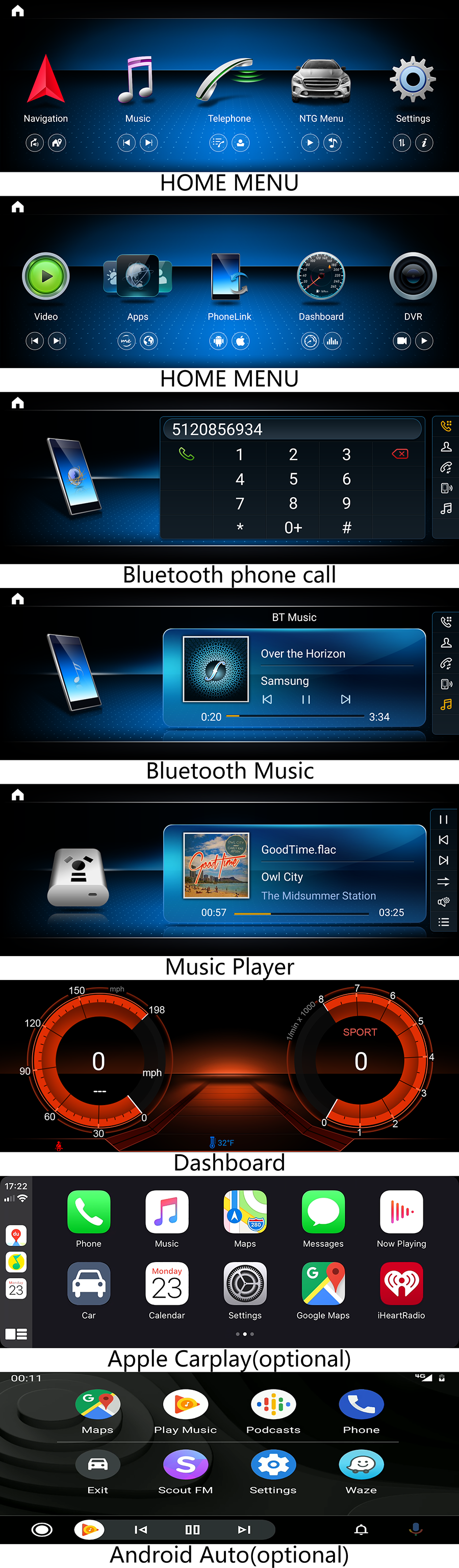
Method 2: Click the "NTG-Menu" icon on the upgrade system's home menu to access the original Mercedes-Benz NTG system. Touch the screen to access the new upgrade system when it is on the original Mercedes-Benz NTG system.

Why does it show "No signal" or blank screen when switching to the original Mercedes-Benz interface?
Answer: Please check the LVDS port. Make sure you connect the LVDS plug (removed from the original Mercedes-Benz screen, not the one behind the original head unit) to the "LVDS" port on the new screen.
NTG 4.0 has the 10 pin square LVDS port. NTG 4.5/4.7/5.0/5.1/5.2/5.5 have 4 pin round LVDS plug.
Why does the original Mercedes-Benz screen not display correctly?
Answer: Please check Settings/Factory/input password 190627/Car Display, then select the correct resolution settings to match with your car. For example if the original screen on your car is a small screen, then please select 400*240, if the original screen is a big screen, please select 800*480.
Why is there no audio from the new upgrade system?
Answer:
1. Please check if there is an AUX IN port or AMI port on your car, usually it is in the center armrest box or glove box on the passenger side.
2. If there is AUX IN port(NTG 4.0/4.5/4.7) on your car, please activate AUX mode, then switch to the upgrade system to get sound.
If there is an AMI port(NTG 4.0/4.5/4.7) on your car, you need to plug our AMI-AUX cord into the AMI port, then you will see the AUX audio option, activate AUX mode, then switch to the upgrade system to get sound.

Why does the Sirius/XM radio, CD, original car computer info and factory camera does not display? Why can I not see the AMI or AUX IN audio option on the screen even though the AMI-AUX cable is already plugged into the AMI port?
Answer: Please check the fiber optics plug, you need to move it from the original connector to the new connector we provided.


