
How to Install Mercedes-Benz SLK-Class R171 2004–2010 Radio Replacement Upgrade Touch Screen CarPlay (FREE Backup Camera)

If you own a Mercedes-Benz SLK-Class R171 (2004-2010) and still use the factory radio, you’re missing out on modern infotainment features like CarPlay, Android Auto, Bluetooth streaming, touchscreen navigation, and more.
Today, we’ll show you how to install a plug-and-play Android touchscreen head unit designed specifically for the SLK R171—complete with FREE backup camera support, GPS navigation, Bluetooth, and multimedia capability.
.
Where to Buy
You can buy the unit here:
https://sigmacarstereo.com/mercedes-benz-slk-r171-android-headunit-dab-radio-upgrade-carplay
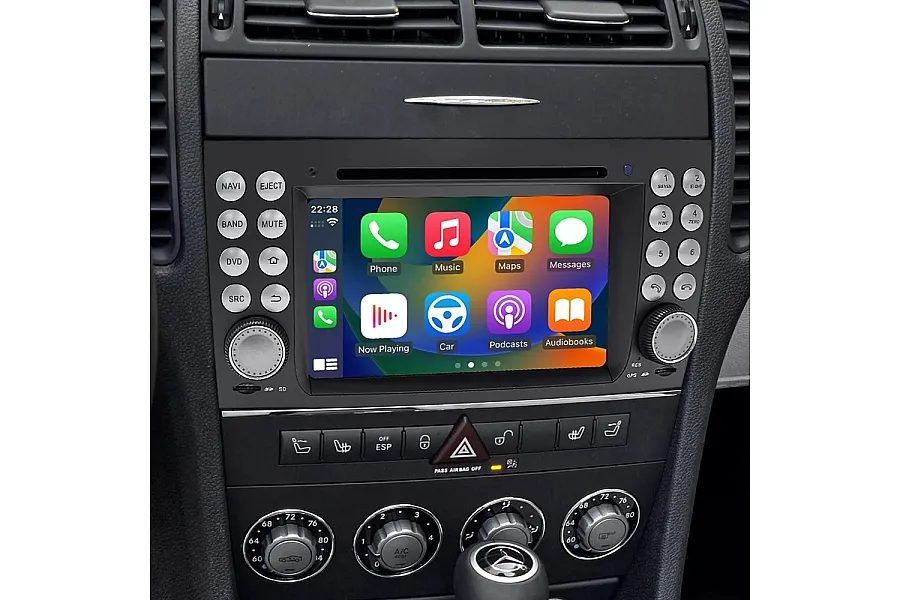
“Introducing our latest aftermarket GPS navigation head unit, designed specifically to replace the factory radio system in the Mercedes-Benz SLK R171 2004-2010… With the same wiring harness and plug as the original radio, it's a simple plug-and-play installation.”
What This Upgrade Includes
According to the Sigma Car Stereo product listing, the Android head unit supports:
-
Touchscreen multimedia display
-
Bluetooth phone & audio
-
GPS navigation
-
Apple CarPlay & Android Auto
-
USB ports & SD card support
-
Wi-Fi & Google Play apps
-
Steering wheel control compatibility
-
Optional DVD & OBD features
-
Rear-view backup camera support
✅ Compatibility
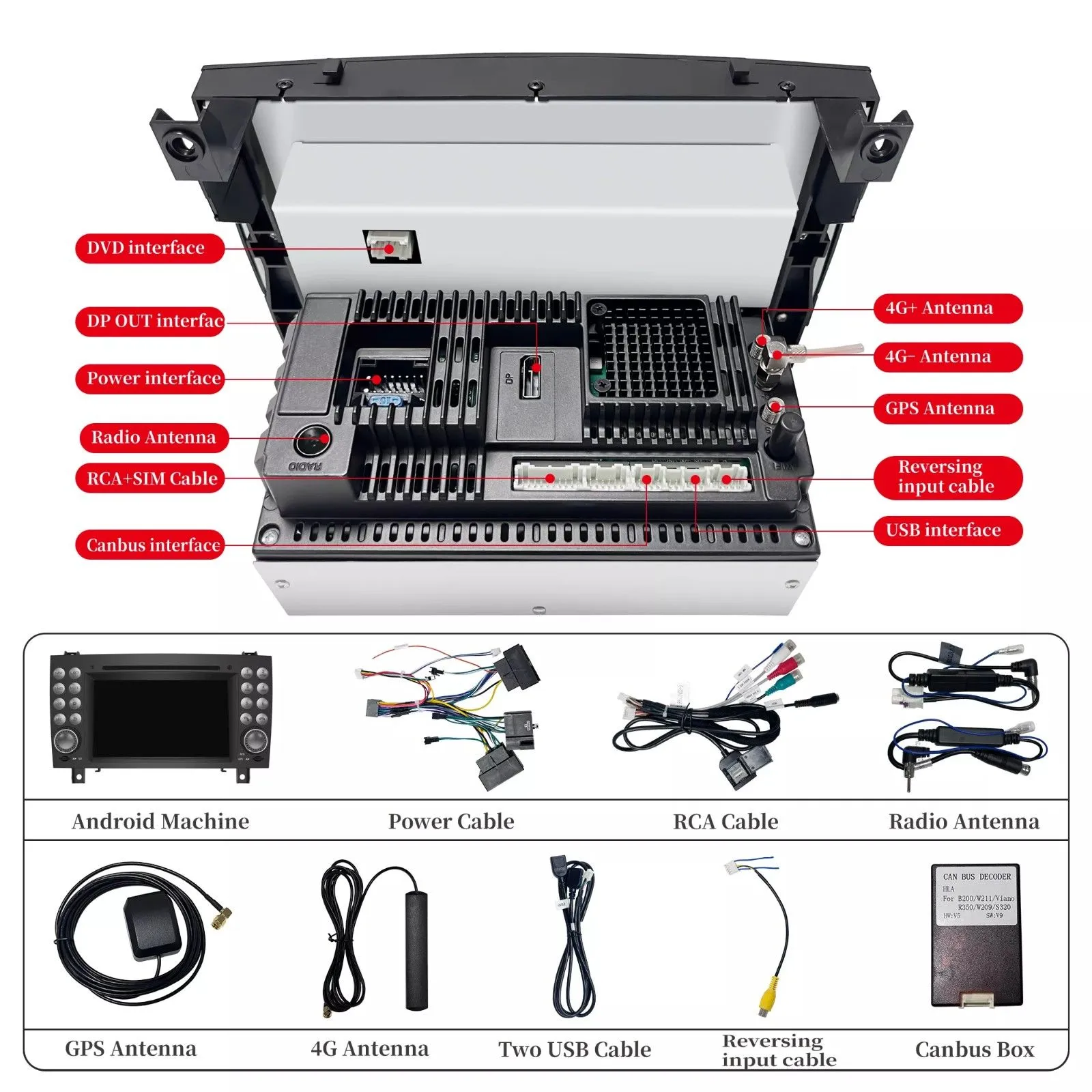
This upgrade is compatible with the following SLK-Class models: Sigma Car Stereo
-
SLK 200
-
SLK 280
-
SLK 300
-
SLK 350
-
SLK 55 AMG
-
Years: 2004, 2005, 2006, 2007, 2008, 2009, 2010
Tools Needed
-
Plastic trim removal tools
-
Screwdriver set
-
Optional: MOST fiber-optic adapter (if car has amplifier)
-
Optional: OBD dongle or dash cam
Step-by-Step Installation Guide

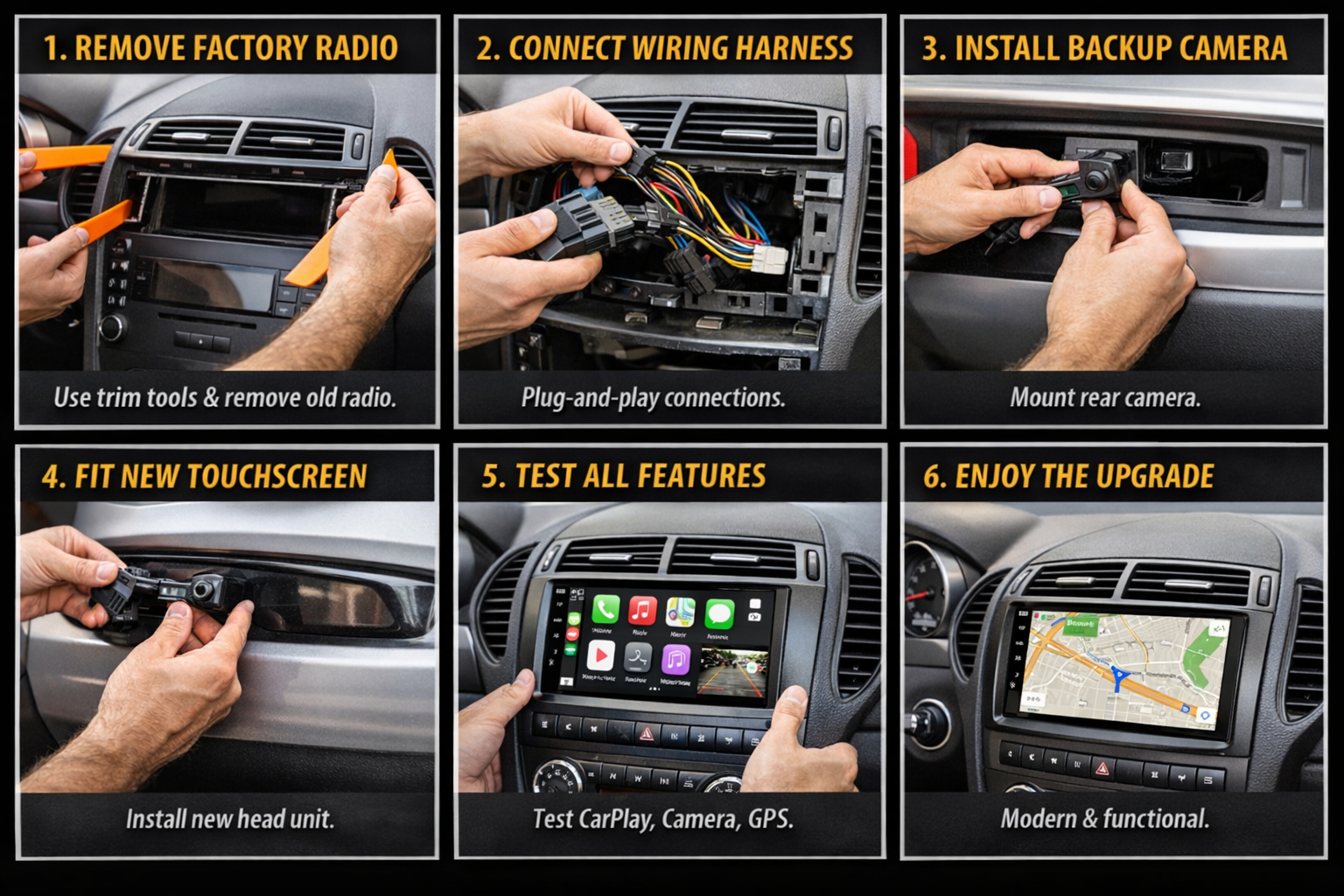
1. Prepare the Dashboard
- Turn off the ignition, disconnect the battery, and remove the trim around the factory radio using plastic trim tools.
2. Remove the Factory Radio
- Remove factory screws and pull out the head unit.
3. Connect Plug-and-Play Wiring
- Use the wiring harness and connectors provided with the aftermarket radio.
-
No wire cutting required.
-
Steering wheel controls are retained.
4. Install Optional Components
-
Backup camera adapter
-
CANBUS decoder if needed
-
Fiber-optic adapter for premium sound system cars
5. Fit The New Touchscreen Radio
- Mount the radio in the dashboard using the original mounting points.
6. Test All Features
-
Test CarPlay/Android Auto
-
Test steering wheel controls
-
Test camera, Bluetooth, and GPS
Advanced Installation Notes
For Cars With MOST Amplifier
If your car has a fiber-optic sound system, you will need a fiber-optic adapter.
For Cars Without MOST
Installation is direct plug-and-play with included wiring.
Backup Camera Compatibility
The head unit supports factory or aftermarket reverse cameras.
Main Specifications
Key specs from the product include:
-
7″ capacitive touchscreen (1024×600)
-
8-core CPU
-
4GB RAM / 64GB storage
-
Built-in amplifier 4×45W
-
USB, SD, & A/V input support
Benefits of Upgrading
-
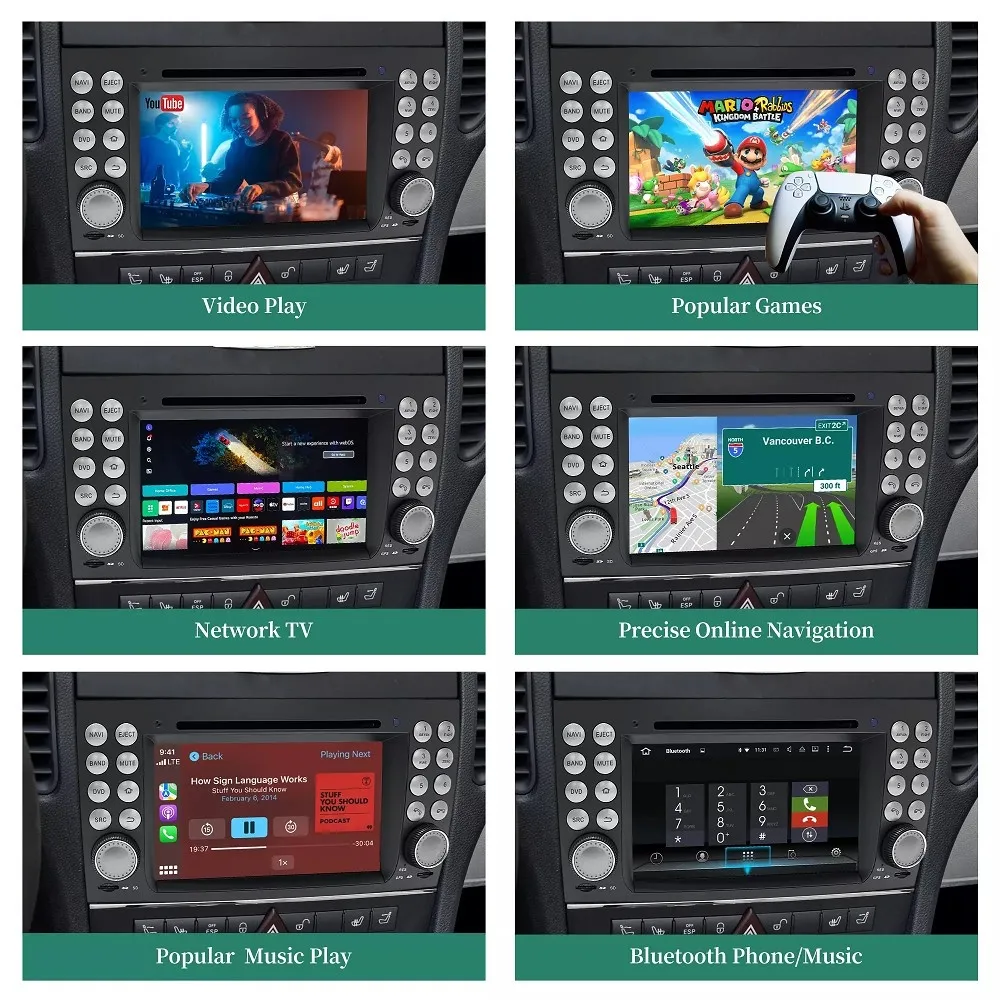
Modern smartphone connectivity
-
Hands-free calling
-
Safer driving with navigation guidance
-
Streaming music & YouTube
-
Replaces outdated CD changer systems
Frequently Asked Questions (FAQs)
1. Is this radio upgrade plug-and-play for Mercedes-Benz SLK R171?
Yes. The Android touchscreen radio is designed specifically for Mercedes-Benz SLK-Class R171 (2004–2010) and uses a vehicle-specific wiring harness. No wire cutting or modification is required, making installation straightforward for most users.
2. Will Apple CarPlay and Android Auto work wirelessly?
Yes. The head unit supports Apple CarPlay and Android Auto (wired and wireless depending on configuration). This allows you to use navigation, calls, music, and messaging directly from the touchscreen.
3. Does this radio support steering wheel controls?
Absolutely. The system supports original steering wheel controls through the included CANBUS decoder, so volume, track change, and call buttons continue to function normally.
4. Do I need extra parts if my SLK has a factory amplifier (MOST system)?
If your Mercedes SLK R171 is equipped with a MOST fiber-optic amplifier, you will need a MOST adapter to retain the factory sound system. Vehicles without MOST amplification do not require additional parts.
5. Can I install a backup camera with this head unit?
Yes. The head unit fully supports aftermarket and factory backup cameras. When reverse gear is engaged, the screen automatically switches to the rear-view camera display, improving safety while parking.
Final Thoughts
Upgrading the radio system on your Mercedes SLK-Class R171 is one of the most impactful modernizations you can do. With its plug-and-play wiring, strong multimedia capability, and optional CarPlay and backup camera, this Android head unit breathes new life into your roadster’s interior—without losing OEM functionality.
If you want the latest tech in your SLK, this upgrade is one of the best you can make.
Contact Us for Porsche Cayenne Android Radio Upgrade
WhatsApp: https://api.whatsapp.com/send/?phone=00447591940624
Facebook: https://www.facebook.com/sigmacarstereo
Email: info@sigmacarstereo.com
Website: https://sigmacarstereo.com/
Need help choosing the right model or installation support? Contact us anytime—we’re happy to help!
Leave a Comment