
How to Install Maserati Quattroporte 2009–2012 Aftermarket Radio Upgrade with CarPlay

Upgrading the factory radio in your Maserati Quattroporte 2009–2012 is one of the best ways to modernize your luxury sedan. An aftermarket Apple CarPlay & Android Auto radio upgrade adds advanced navigation, smartphone integration, multimedia features, and a high-resolution touchscreen—without compromising the original interior elegance.
This guide explains the benefits, compatibility, tools required, and step-by-step installation process, making it easy for professionals and DIY installers alike.
Where to Buy Maserati Quattroporte Aftermarket Radio Upgrade
You can buy a plug-and-play Maserati Quattroporte 2009–2012 aftermarket radio with CarPlay from trusted online stores.
Buy Here: https://sigmacarstereo.com/maserati-quattroporte-2009-2012-aftermarket-radio-upgrade
Check Latest Price: https://sigmacarstereo.com/maserati-quattroporte-2009-2012-aftermarket-radio-upgrade
Worldwide Shipping Available: https://sigmacarstereo.com/
Always choose a model that includes vehicle-specific frame, wiring harness, and CANBUS decoder for hassle-free installation.
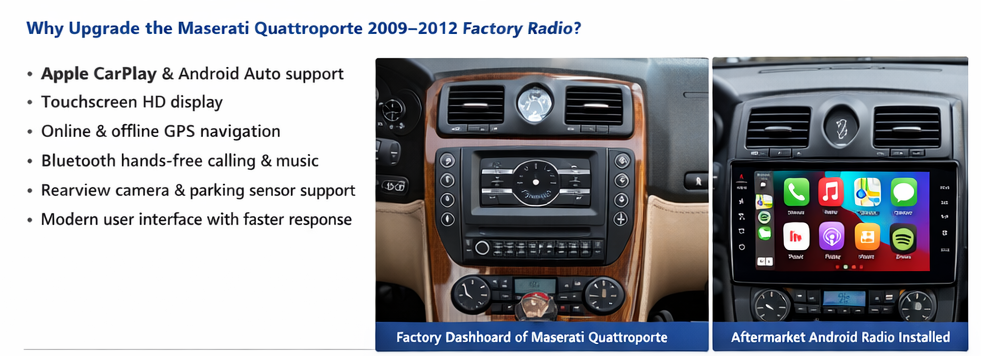
Key Features of the Aftermarket Radio Upgrade
-
Apple CarPlay (Wired & Wireless)
-
Android Auto Support
-
Android OS with Play Store Apps
-
High-Resolution Touchscreen Display
-
Built-in GPS Navigation
-
Bluetooth Music & Calls
-
USB, AUX & Multimedia Playback
-
Steering Wheel Control Compatibility
-
Support for Factory Amplifier & Bose Sound System
Compatibility Details
-
Vehicle: Maserati Quattroporte
-
Model Years: 2009, 2010, 2011, 2012
-
Drive Type: Left-Hand Drive / Right-Hand Drive
-
Original Functions Retained:
-
Steering wheel controls
-
Factory amplifier
-
OEM parking sensors
-
Original vehicle settings (via CANBUS)
-
NOTE: No digital climate control for this car.
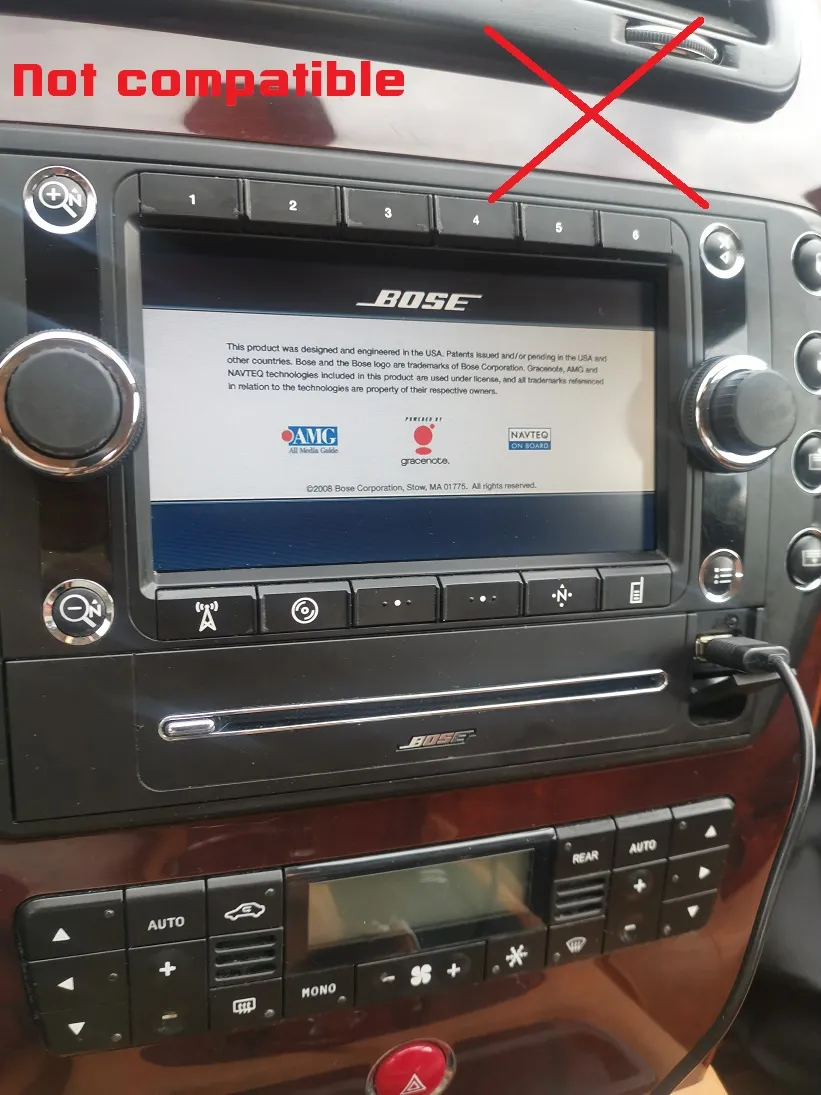
Not compatible if you have this factory dashboard:
Tools Required for Installation
-
Plastic trim removal tools
-
Screwdriver set
-
Wiring harness & CANBUS decoder
-
Aftermarket radio mounting frame
-
Electrical tape & zip ties
Maserati Quattroporte 2009-2012 Radio Uninstall Video: Link here.
Step-by-Step Installation Guide
Step 1: Disconnect the Battery
Always disconnect the negative terminal of the battery to prevent electrical damage.
Step 2: Remove Factory Trim & Head Unit
Carefully remove dashboard trim panels using plastic tools to avoid scratches. Unscrew and pull out the original radio.
Step 3: Connect Wiring Harness & CANBUS
Plug the aftermarket wiring harness into the factory connectors.
Connect the CANBUS decoder to enable steering wheel controls and OEM functions.
Step 4: Install GPS, USB & Microphone
-
Place the GPS antenna under the dashboard or windshield
-
Route USB cables to the glove box or center console
-
Mount the microphone near the driver’s side for clear calls
Step 5: Test Before Final Mounting
Reconnect the battery and test:
-
CarPlay & Android Auto
-
Sound output
-
Steering wheel controls
-
Bluetooth & GPS
-
Reverse camera activation
Step 6: Secure the Head Unit
Once everything works perfectly, mount the radio into the dashboard and reinstall trim panels.
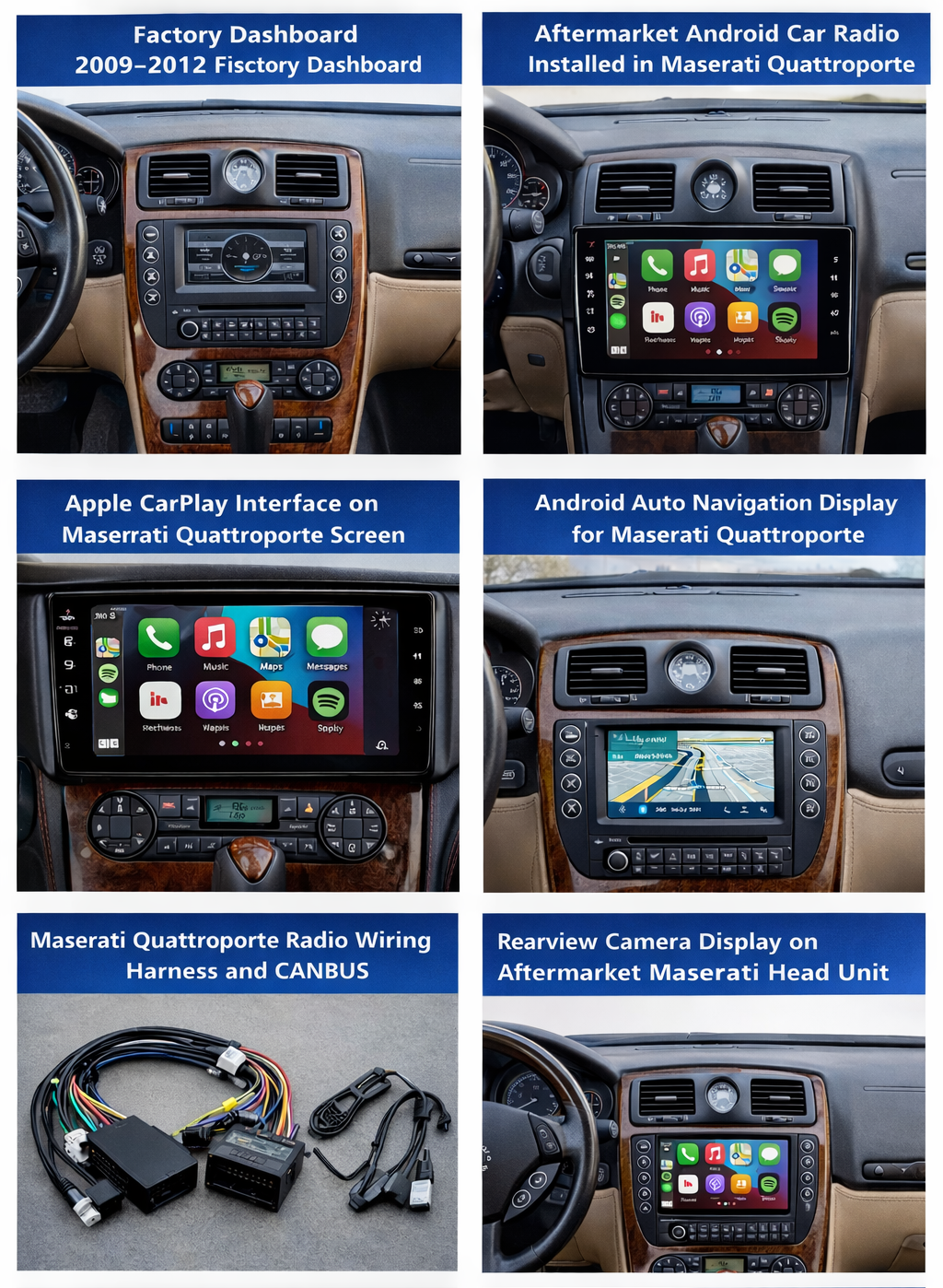
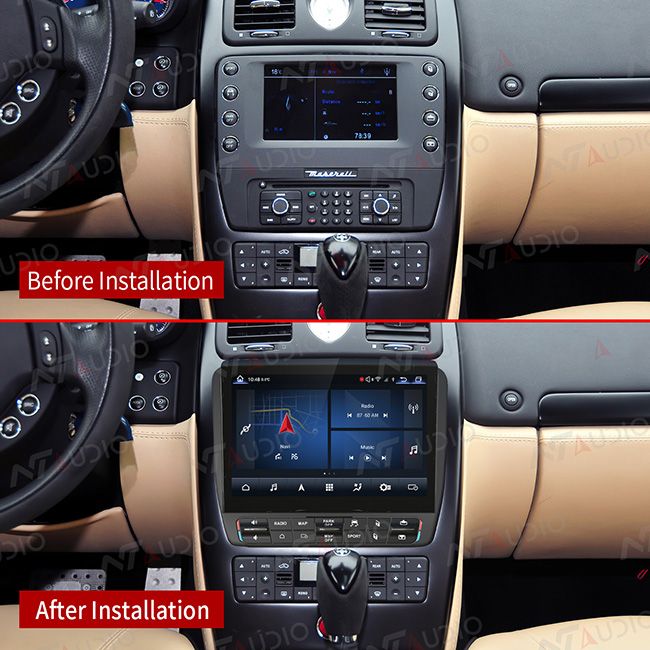
Add Rearview Camera (Optional but Recommended)
Installing a rearview camera improves safety and parking convenience.
-
Automatic display when reverse gear is engaged
-
Night vision support
-
Compatible with factory parking sensors
Common Installation Problems & Solutions
No Sound?
✔ Check amplifier and CANBUS connections
Steering Wheel Controls Not Working?
✔ Re-learn controls in factory settings menu
Reverse Camera Not Displaying?
✔ Confirm reverse trigger wire connection
Contact Us for Installation & Purchase
Need help choosing the right unit or professional installation?
WhatsApp: https://api.whatsapp.com/send/?phone=00447591940624
Facebook: https://www.facebook.com/sigmacarstereo
Email: info@sigmacarstereo.com
Website: https://sigmacarstereo.com/
We provide expert support, worldwide shipping, and after-sales assistance.
❓Frequently Asked Questions (FAQs)
1. Is this aftermarket radio compatible with Maserati Quattroporte 2009–2012?
Yes, this radio is specifically designed for Maserati Quattroporte models from 2009 to 2012. It fits perfectly using a vehicle-specific frame and wiring harness.
2. Does the upgrade support Apple CarPlay and Android Auto?
Yes, the aftermarket radio supports Apple CarPlay (wired & wireless) and Android Auto, allowing navigation, calls, music, and messaging directly from your smartphone.
3. Will steering wheel controls still work after installation?
Yes, steering wheel buttons work normally when installed with the CANBUS decoder, which is usually included in the package.
4. Does it support the factory Bose sound system?
Yes, the head unit is compatible with the original Bose amplifier and speaker system, ensuring high-quality sound output.
5. Can I install a rearview camera with this radio?
Absolutely. The radio supports rearview and front cameras, activating automatically when reverse gear is engaged.
6. Is professional installation required?
Professional installation is recommended for best results, but experienced DIY users can install it using plug-and-play wiring without cutting factory wires.
7. Will I lose any factory vehicle functions?
No. Factory features such as:
-
Steering wheel controls
-
Parking sensors
-
Factory amplifier
-
Vehicle settings
are retained through the CANBUS system.
8. Does the radio include GPS navigation?
Yes, it includes built-in GPS navigation and also supports Google Maps, Waze, and other navigation apps via CarPlay or Android Auto.
9. Can I use Bluetooth for calls and music?
Yes, Bluetooth supports hands-free calling, music streaming, and contact sync for safe driving.
10. Where can I buy the Maserati Quattroporte aftermarket radio?
You can purchase it from trusted online car stereo stores.
Buy Now: https://sigmacarstereo.com/maserati-quattroporte-2009-2012-aftermarket-radio-upgrade
Contact for Best Price: info@sigmacarstereo.com
Leave a Comment