
How to Install Mercedes-Benz E-Class W212 Stereo Upgrade?

If you have a Mercedes-Benz E-Class W212 model, and want to upgrade the factory stereo with an aftermarket navigation head unit and more features like Bluetooth, USB, SD, Wi-Fi, apple carplay or android auto, this w212 stereo upgrade unit meets your requirement.
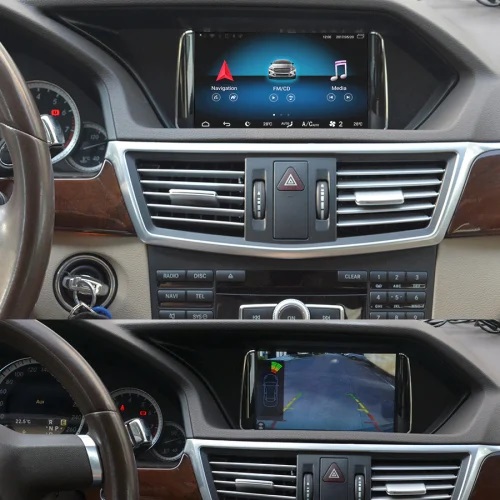
You can keep using the oem functions, because it just replaces the factory screen, and you are able to switch to Mercedes menu on the new screen. This aftermarket stereo fits and works with w212 which has a factory dashboard the same as below:

It only fits left-hand driving w212 models, because this frame/bracket is only for Mercedes-Benz W212 left-hand driving models.
You can buy it via this link:
If your dashboard is different, you can take a clear picture from your dashboard including the entire screen and factory frame for us to check for you.
2022 Update: A new 10.25/12.3 inch Android stereo unit is available for a right hand drive W212 now, you can check it below:
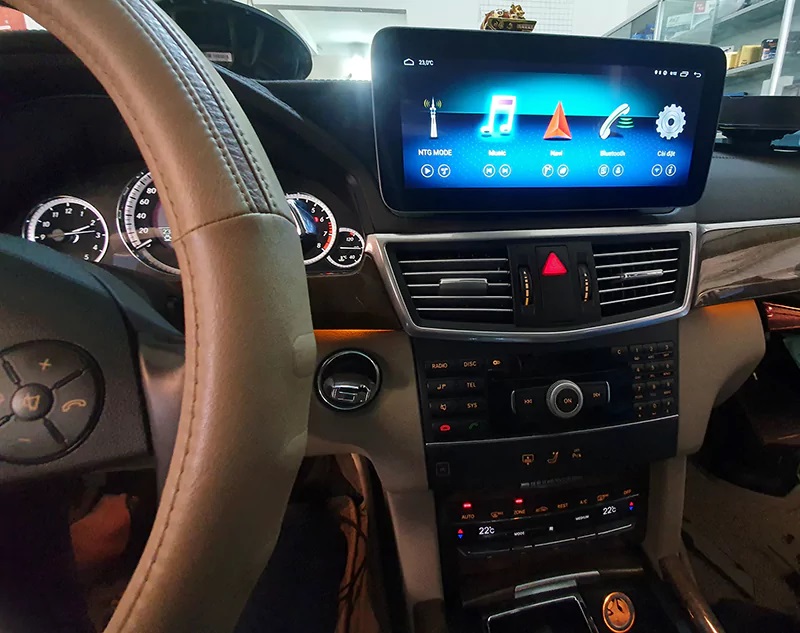
The 10.25 or 12.3 inch model fits right hand drive model Mercedes W212.
How to install this Mercedes-Benz E-Class W212 Android stereo system?
For a quick overview, you can check the wiring diagram via this picture.

And step by step installation instructions as follows.
- The first step is to remove the factory screen and the air vents above the radio, disconnect the cables behind
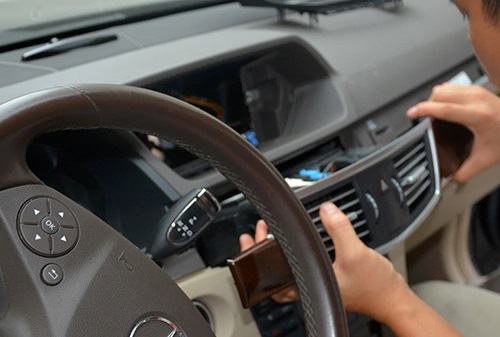
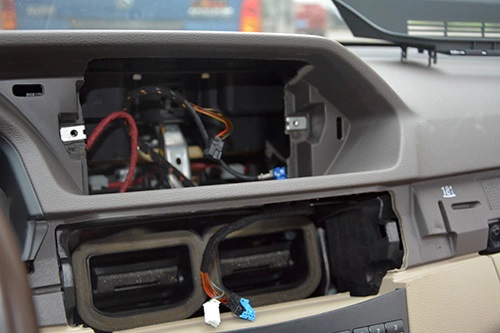
- Then remove the factory radio and CD unit, disconnect cables behind.
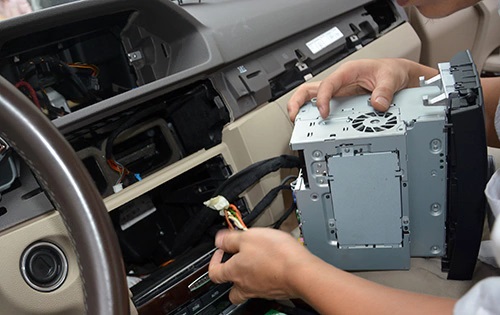
- Connect 2 cables with 4 white plugs with new Android screen and main unit, connect other plugs and cables with the main unit. The main unit can be put in the glove box or any other position where you can push into.
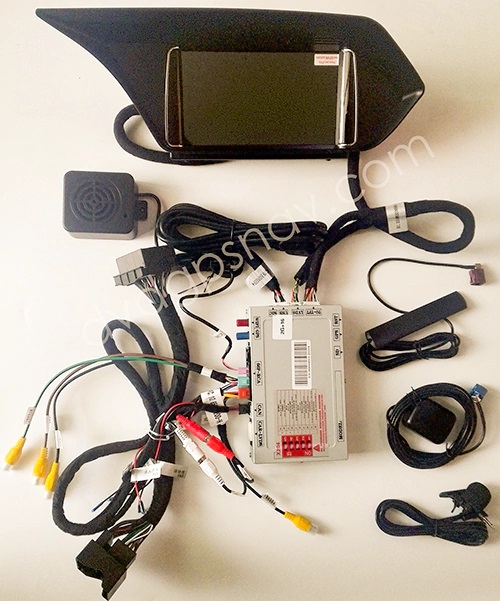
Note: You also need to connect the wifi antenna, gps antenna, and microphone.
- Then you can connect original wiring harness with a new adapter plug, and connect the other end of the new cable with the back connector of the radio/CD unit.
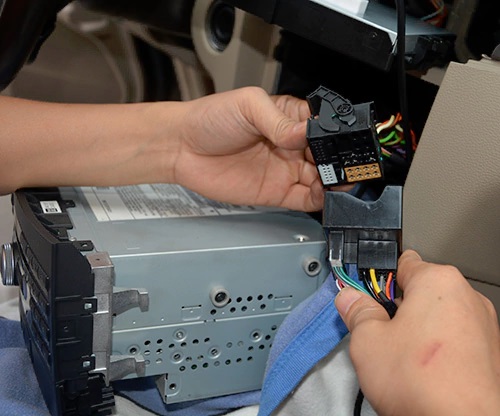
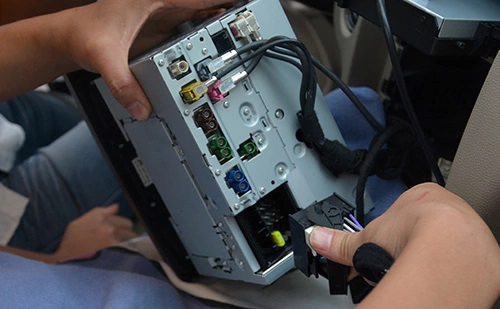
Important Note:
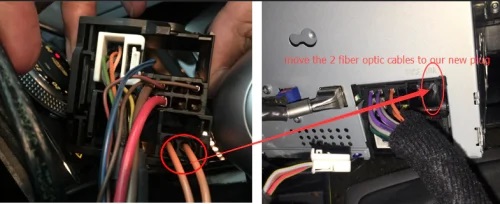
If there are fiber optic cables from the factory wiring harness, then you need to move them to our new adapter plug which connects to the back connector of your CD, below picture is just for your reference:
- If you want to connect a rear view camera, the green cable with a yellow RCA connector should connect to the video cable of the camera, and there’s also a loose brown wire with a REVERSE label on it should connect 12V+ reverse light.
This is a detailed step by step installation video on how to install Mercedes W212 Android screen:
If you still have questions while installing, you can take some pictures for us to check, DVDGPSNAV will do the best to help you.
Posted in Mercedes-Benz DVD/GPS Installation Android Navigation System
Tagged w212 aftermarket radio, w212 android screen, w212 stereo upgrade
Leave a Comment