
Mercedes W211 Aftermarket Radio Install

If you don’t like the factory UI because it’s old, slow and not modern looking, and would like to add aftermarket navigation and carplay, then you can upgrade the factory Mercedes-Benz E-Class W211 radio with a new modern Android radio infotainment system now.
How does the new Android Mercedes Benz W211 aftermarket radio head unit look like?
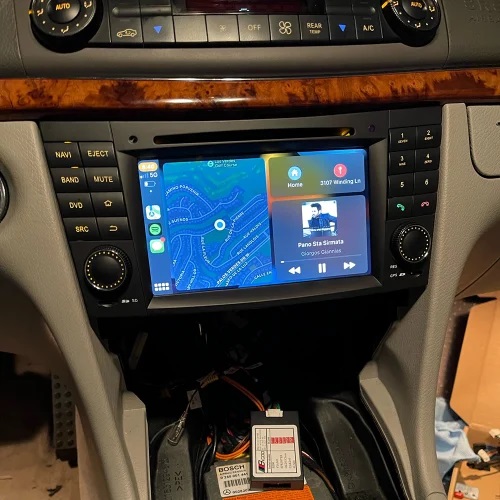
It has been upgraded with the latest Android 13 system, 8-Cores high speed CPU processor, 64GB ROM and 4GB RAM, it runs smoothly.
The W211 aftermarket head unit supports steering wheel controls, Apple Carplay, Android Auto, WiFi, navigation, USB, DVD player and more.
Shop Here: Mercedes W211 Radio Upgrade Apple Carplay
In order to install a new aftermarket radio, the first thing you need to do is removing the factory radio, then install the new unit. Based on our experience, our technician can complete the entire installation process in about 1 hour.
Mercedes W211 Radio Removal
In order to install an aftermarket w211 radio, you need to remove the factory oem radio first.
For your convenience, you can check this video to show you how to remove Mercedes W211 radio:
By following this video, you should be able to remove the factory w211 radio by yourself.
Or you can check some important steps below.
Firstly you should prepare a plastic installation pry tool, if you don’t have you can use a flat screw driver instead.
In order to remove the factory w211 radio you can try the following steps:
- pry the ashtray part
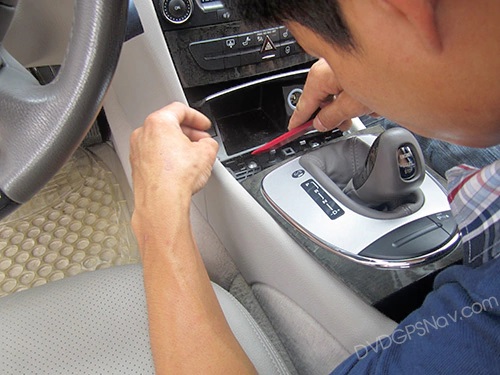
- take out the shift gear panel
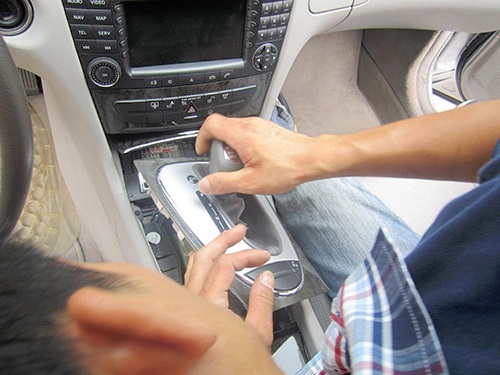
- take out the ashtray part
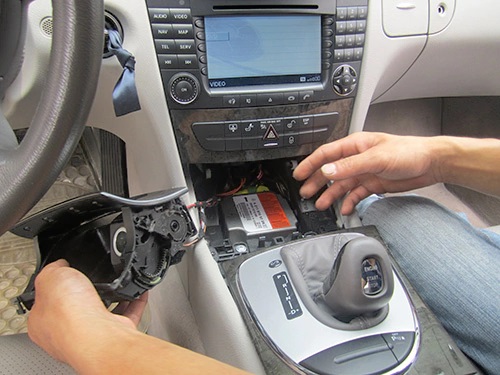
- remove the screw for the climate control panel
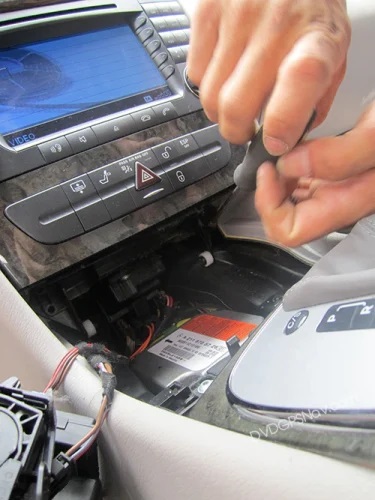
- loose the climate control panel and take it out
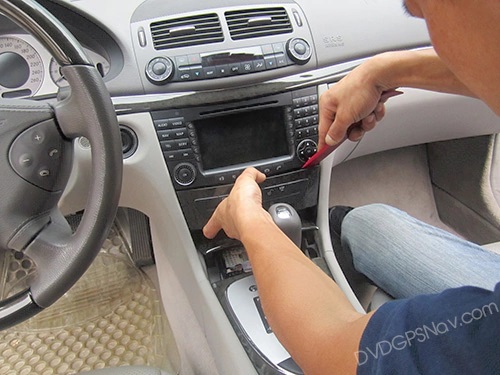
- now you can see the screw for the radio, remove the screw to take out the cd player head unit
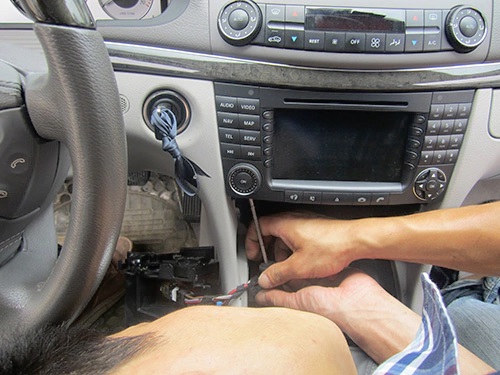
- take out the radio and cd player, disconnect the plugs behind
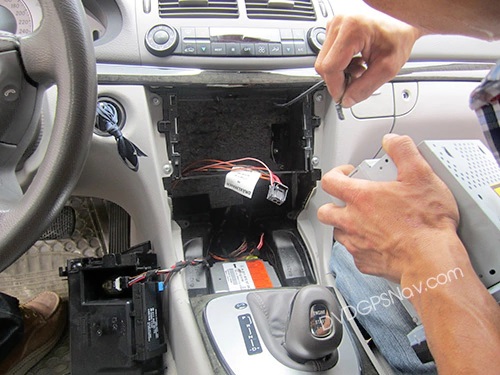
Install new aftermarket w211 radio
After the factory Mercedes W211 radio removed, you can start to install the new w211 Android head unit.
Most Mercedes-Benz E-Class W211 comes with a fiber optic amplifier in the trunk. Please note the new Android radio does not support a fiber optic amp, so you need to use a long cable B5 to connect speakers directly in the trunk to get sound for 4 car door speakers.
You can check the plug behind the factory radio so that you can know if there are fiber optic cables there. If your w211 does not have a big square plug behind the radio, only has a small fiber optic plug, that means your car has a fiber optic amplifier.
-
For w211 without a fiber optic amp
If your car does not have a fiber optic amp, installation is much easier, you just need to use one of the short power cables as below:
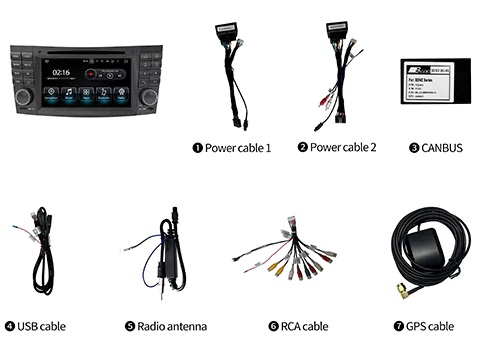
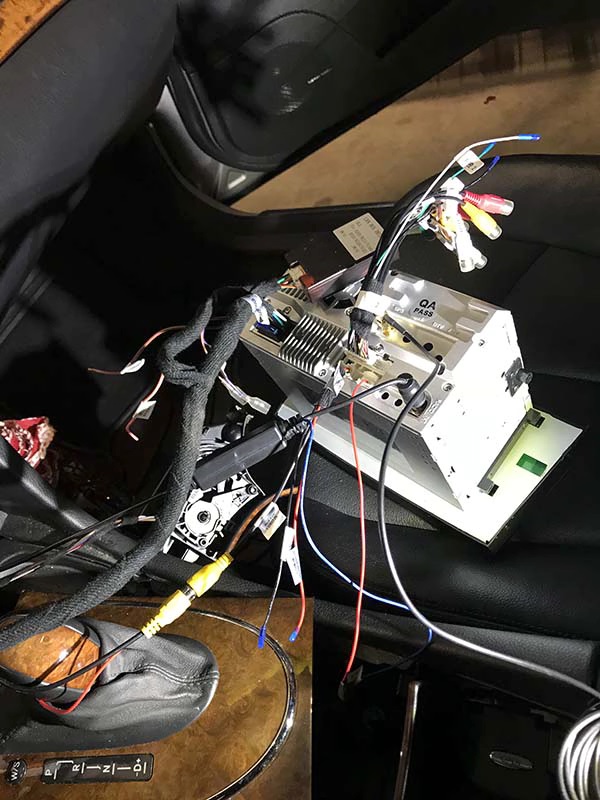
There’s a wiring diagram at the bottom of the unit, so you can see how to connect all plugs behind.
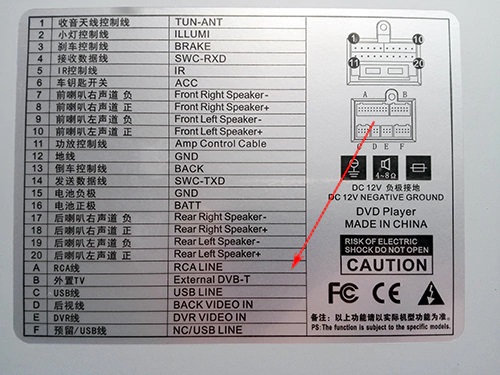
.jpg)
wiring diagram for aftermarket w211 android head unit
-
For w211 with a fiber optic amp
For a Mercedes w211 with a fiber optic amp, you don’t need to use the short power cable, but need to use a 6m long cable B5 to connect car plugs in the trunk.
Note: another long radio antenna cable is also included, for the car with fiber optic amplifier, you should use the long radio antenna cable.
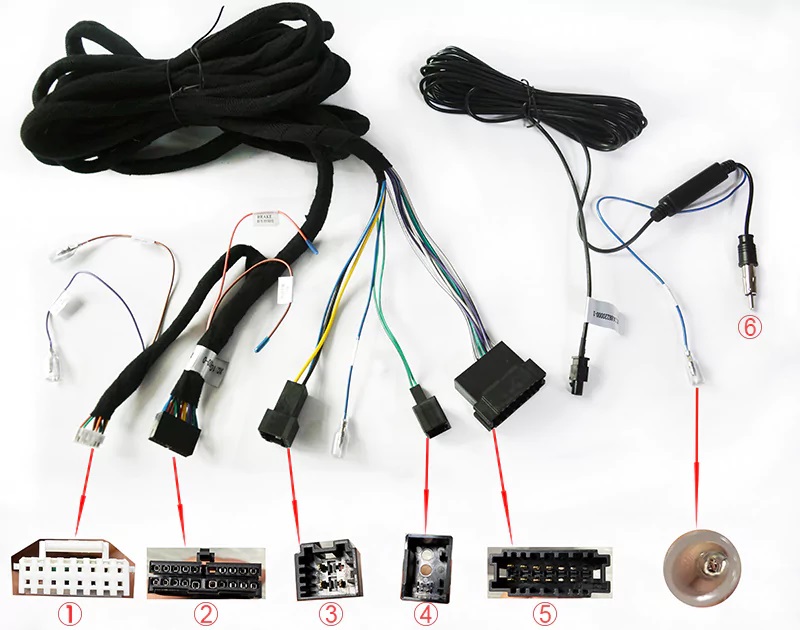
plug 1: connect a CANBUS decoder
plug 2: connect the back power plug from our android radio
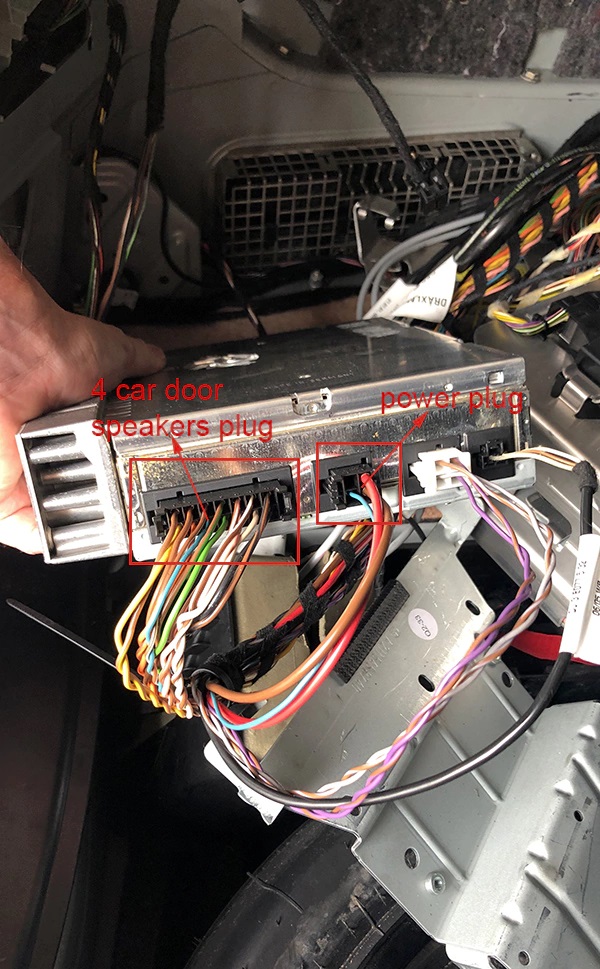
plug 3: connect the power plug from the rear amplifier
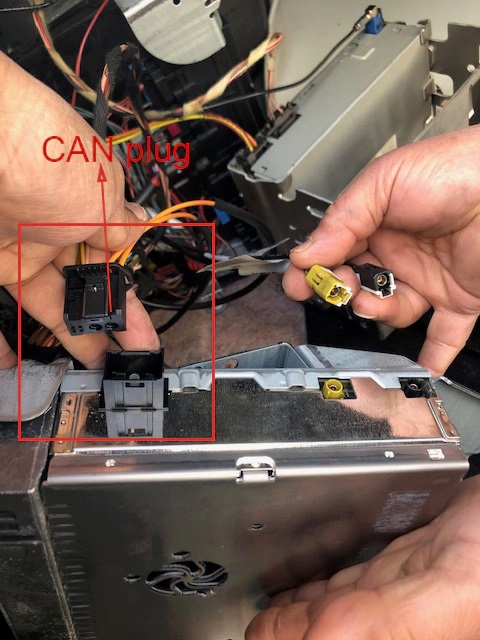
plug 4: connect CAN plug from the rear amp
plug 5: connect speakers plug from the rear amp(support 4 car door speakers to get sound)
plug 6: radio antenna, connect a radio antenna plug from the back of android radio
Run the long cable
As for how to run the long cable to the trunk for w211 with fiber optic amp, a professional mechanic can do it for you easily. You can run the long wires under the carpet along the door frames, removed the back seat to get access to the trunk, and hid the wires behind the cover panel in the trunk.
How to connect plugs in the trunk?
Firstly you need to find out the exact location of your fiber optic amplifier in the trunk.
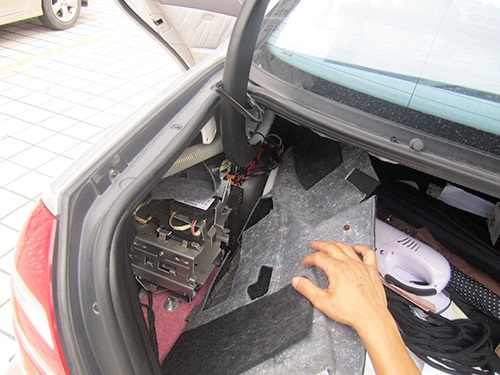
The fiber optic amp is located behind a metal bracket as below, so you need to remove a screw in order to see the amp:
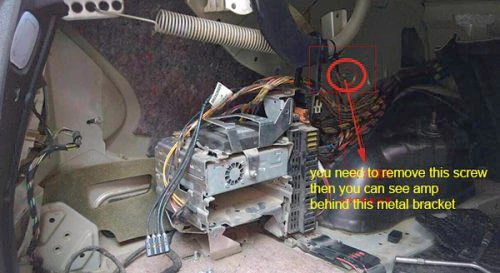
Find the amplifier inside, so you can find the speakers plug and power plug as below:
This is the CANBUS plug:
New plugs from the aftermarket radio unit:
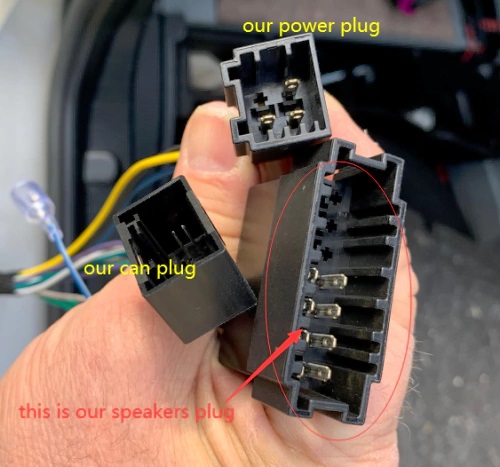
How to connect the new plugs:
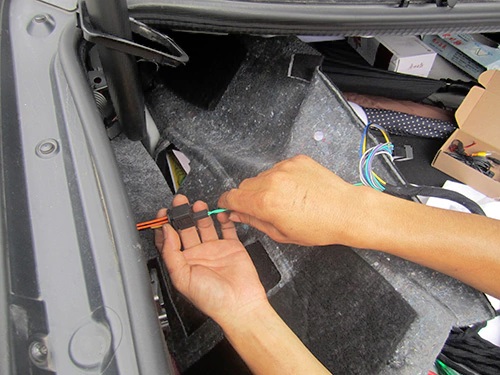
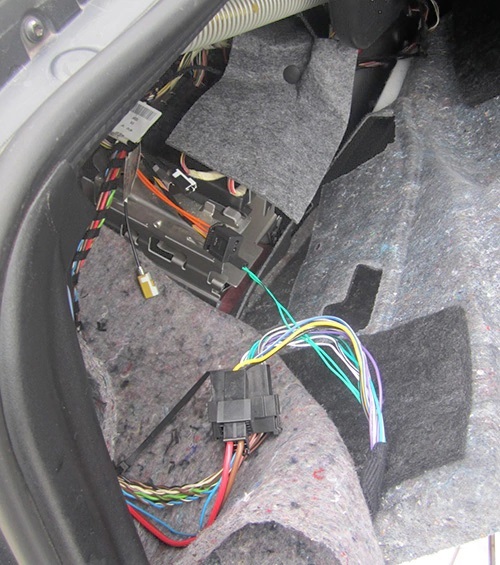
CANBUS decoder should connect to the power cable with a small white plug, the CAN-BUS decoder is used to support steering wheel controls.
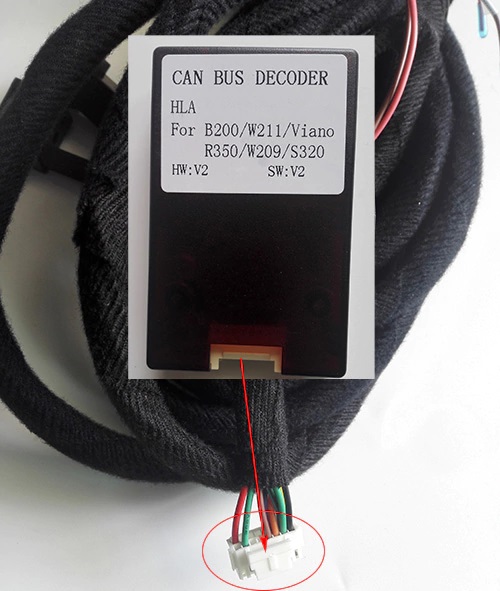
No power after installation
If there’s no power on the radio after installation, please check the CAN plug, you may plug the wrong CAN plug in the trunk, the right plug goes in with a click and a solid connection. The wrong plug is loose and wants to fall out.
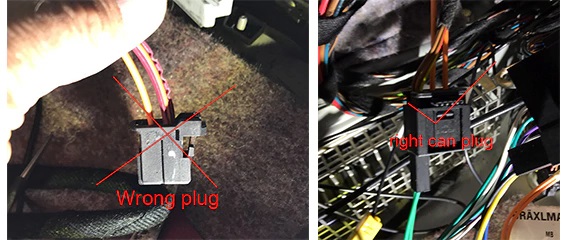
Regularly the right CAN plug is shown as above at right, 99.9% possibilities. If the unit still can not turn on, you can try the other CAN plug.
And check if your car’s fuse was burned, you can measure the voltage from the yellow wire and see if it’s 12V.
You can also take some photos for us to check for you, our email is info@sigmacarstereo.com
Install a rear camera with w211 radio
How to connect rear view camera with this Mercedes w211 Android radio?
- Firstly you should connect the power to the camera with 12V reverse light.
- There’s a black RCA cable included to connect the video cable from the camera:
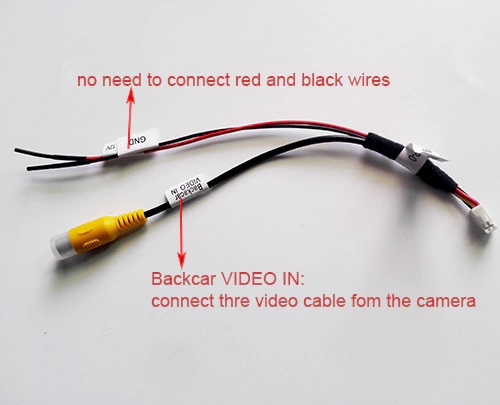
- There’s another loose BACK wire from the long cable, you should connect it with 12V+ reverse light, this is the trigger line.
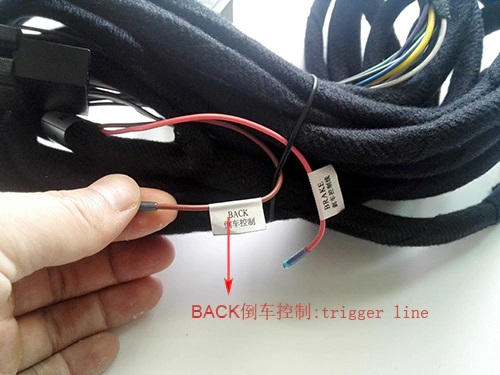
Note: You don’t need to connect the other BRAKE wire.Learn more on How to install a back up camera
- After installation of the camera, if the camera does not work well after you put in reverse gear, firstly please check all wires/cables connections, you can take some pictures for us to check for you. If the screen shows no signal or the backup display not stable when reversing, the problem is from the voltage from your reverse light, we have a solution, you can connect a relay with the camera, for more information about the relay, you can also contact us, we can send you more pictures about the relay and the connection.
Posted in DVD/GPS Installation Mercedes-Benz
Tagged android radio w211, w211 aftermarket radio, Mercedes W211
1 Comment(s)
I am not sure how old this page is, fantastic info and detailed. My question is, will replacing the OEM radio will it cause an error code or cel when I run a scan of the vehicle status? Am I able to remove the error code lets say with an AUTEL scanner? Thanks.
Leave a Comment