
How to Install 2009-2015 Audi Q5 Android Head Unit?

Many car owners of 2009-2015 Audi Q5 don’t choose the factory Audi navigation system as it’s not friendly in use and costs a lot for map updates.
Here comes a better solution, you can upgrade the factory Audi Q5 screen head unit and install an aftermarket Android head unit for Audi Q5, with factory looking. Via this post, we will show you step by step installation instructions on how to install an aftermarket Audi Q5 Android radio head unit.
How does the Android Audi Q5 head unit look like?
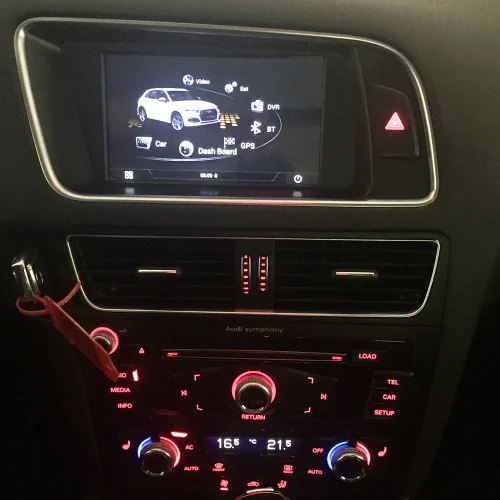
As the factory screen is only 6.2 inch, this new replacement is 7 inch, so the factory frame is useless anymore, there are 2 new frames included in the package, one for Audi Q5, the other for Audi A4 and A5.
By the way, the current frames are only available for left-hand driving cars, not suitable for right-hand driving cars. We have another 10.25″ Android screen unit which can fit right hand-driving Audi Q5, A5, A4, A4L. If you need, you can contact us by sending an email to info@sigmacarstereo.com.
Installation Instructions
Just follow the following step by step installation instructions, you may need to send the detailed installation instruction to your installer before he starts the work, so it takes less time and save installation fee if your installer who has not installed such a head unit before.
- The first thing you need to do is removing the central air conditioning vents using dash pry tool, pry the edge of the vents, when it’s loose then pull out the air vents.
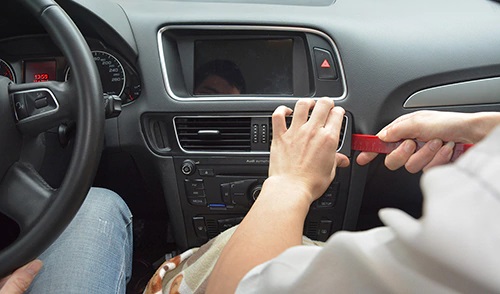
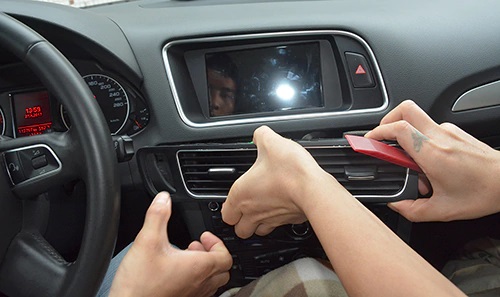
- After the air vents was taken out, remove 2 screws which holds the radio/cd player, remove the below climate control and CD player in the middle, unplug all cables behind.
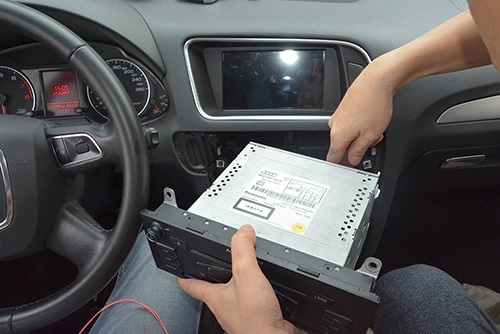
- Now it’s time to remove factory screen. Firstly take out the trim strip, then use the pry tool to detach the frame, then you can see 4 screws which holds the factory screen unit.
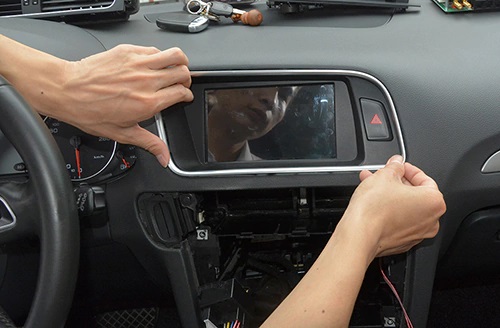
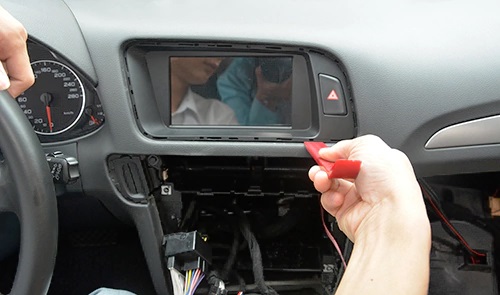
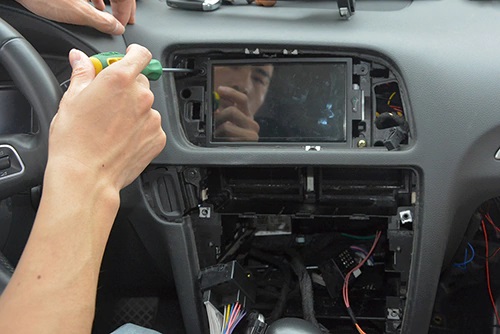
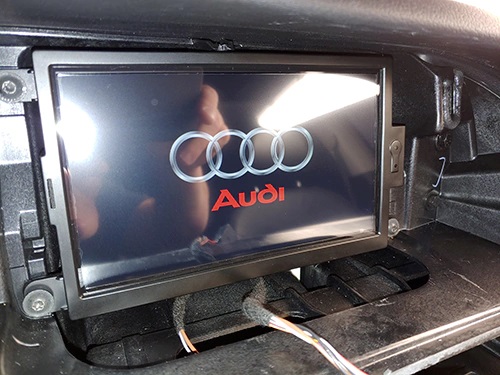
- After you removed the factory screen, you can connect all included cables with main unit, and put the main unit in the glove box or inside of the dashboard. If you put the main unit control box in the glove box, please firstly run the screen cables from glove box to the dashboard behind the screen. Then you can connect the new touch screen unit with 2 white plugs at the back of the screen, and the other end connects to the main unit, see below:
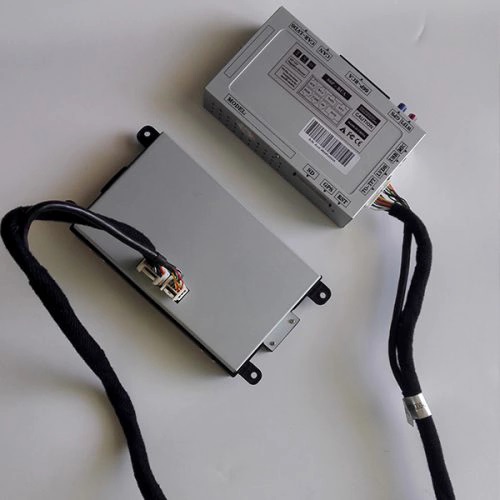
- Then you can connect other plugs.Note: When you connect the red/white/blue and other plugs with the main unit, please pay attention to the connector, so that you won’t get wrong, if you look carefully, you can see all these connectors are different, this step is very important, if you can not make sure where the cable goes, just feel free to contact us and send us your pictures.
Note: If your Audi Q5 or A5 is premium model, your LVDS plug is round 4 pins, we will send you the unit with 4 pins LVDS plug. That’s why we will ask you to send us your car information including a dashboard picture for us to check, so that we can know your LVDS plug is 10 pins or 4 pins.
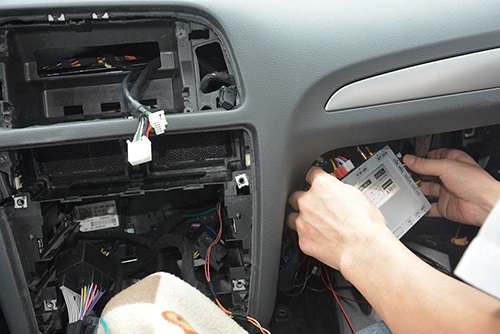
You can also put the main unit control box at the back of the screen unit as below.
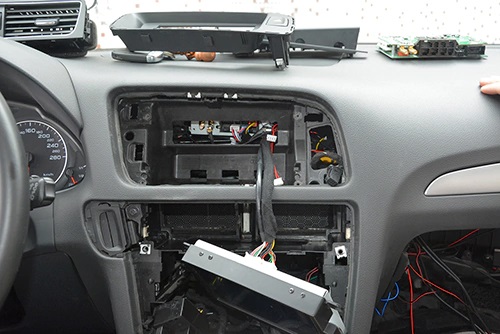
Or you can remove the glove box, then push the control box from the glove box position into the dashboard.
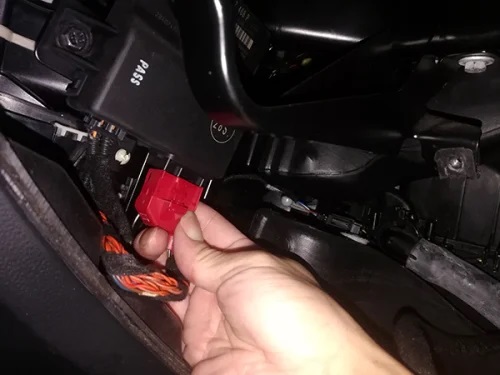
- Connect the power adapter plugs(as below 1 and 2) with the back of CD player and factory wiring harness, connect the plug 3 and plug 4 with your cables behind climate control panel.
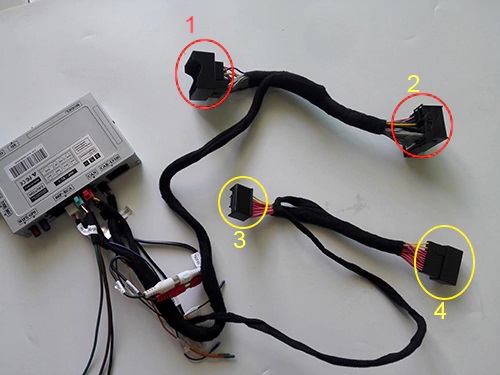
Plug 1: connect the factory power wiring harness which was connected to the back of your radio before.
Plug 2: connect to the back of your radio/CD.Plug 3 and 4: unplug the cables behind climate control panel, then connect plug 3 and 4 with them. Note: For premium model of Audi Q5, A4, A5, your gateway plugs are not from the back of the climate control panel, they are in the glove box as below:
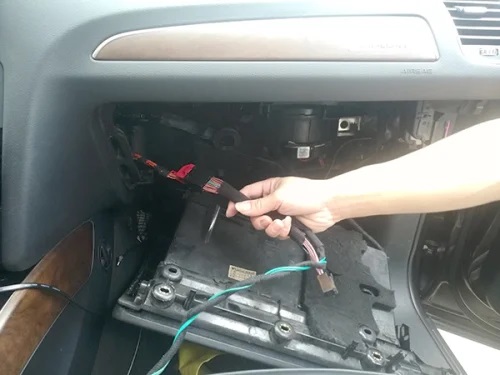
So if you find your gateway plugs behind the climate control panel are different with ours, you should remove the glove box and then check the plugs as above. If you still have a question, you can take a clear photo for us(info@sigmacarstereo.com) to check for you.
If every cables have been connected correctly now, you can turn on the car and test the screen unit now.
If you have a question, you can contact us send a message to us on whatsapp, our technician can reply to your message within 24 hours.
- If everything goes well, you can install back the climate control, cd player, and install the new touch screen unit, frame, trim, etc. This should not be difficult for you as you have already known how to remove them.
Can this Android Audi Q5 android head unit fit and work with my car?
This 7″ OEM looking Android navigation head unit fits most Audi Q5, Audi A5, and Audi A4/A4L. But we do find some models are not compatible because the the dashboard is different. If you send us your dashboard picture including factory screen and the buttons below the shift gear so that we can check for you.
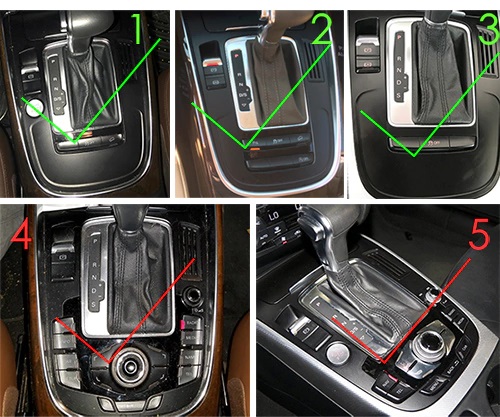
1, 2, 3: For Audi A5 A4 Q5 with 2G system, 10 pins square LVDS plug
4, 5: For Audi A5 A4 Q5 with 3G system, 4 pins round LVDS plug
Latest update: Our latest version can support all above models now. The LVDS plug is different for 2G and 3G system, so please send a dash photo for us to check for you.
However, if there are buttons from your CD unit as below:
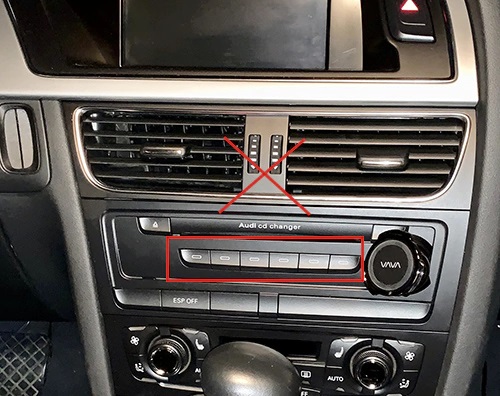
Our unit does not work for your car directly, because your plugs are different, you will need to modify wires for installation, that’s very complicated.
How to Check if my Audi Q5 comes with AUX function?
Factory AUX function is really important to install this new replacement of Android Audi Q5 radio unit, because the sound transfers to your car speakers through factory AUX. You can check in the glove box or armrest and see if there’s a 3.5mm AUX port or a 30 pins connectors. If your car has a 3.5mm MMI AUX port in the armrest, that’s great.
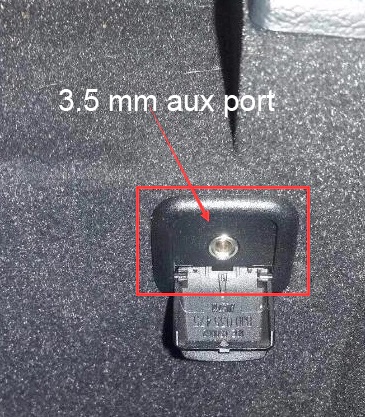
If your Audi has a 3.5mm Aux port in the armrest or glove box as above, that’s great, you don’t need to buy Aux adapter cable.
However, if your car just comes with a 30 pins AMI AUX connectors in the glove box, see below photo:
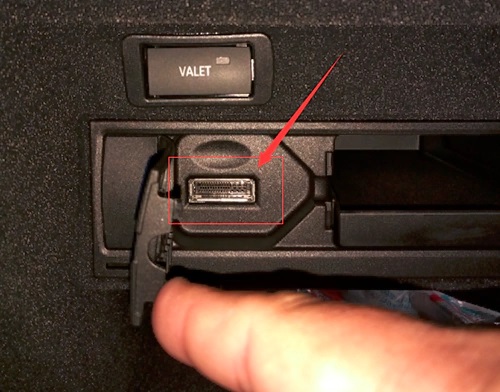
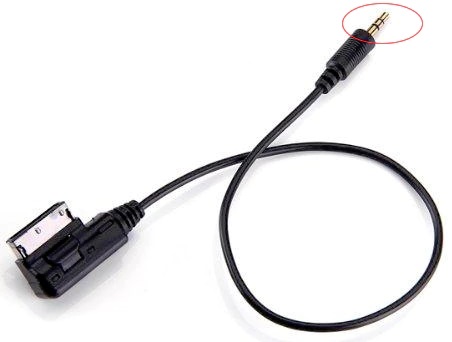
You will need to buy another Audi AMI-AUX cable and connect it with this 30 pins connectors to activate factory AUX, you can check the below picture of AMI-AUX ccable:
Note:
1. Only this kind of AUX adapter cable works, please pay attention to the circled end.
2. This adapter cable is not necessary for the car with 3.5mm MMI AUX port.
Should you have any questions or inquiries, just feel free to contact us.
Resource:
- Where to buy this Android Audi Q5 Android head unit: https://www.sigmacarstereo.com/audi-q5-dab-carplay-androoid-gps-navigation-system-radio-upgrade
1 Comment(s)
My upgraded display for my Q5 comes with a 4 pin lvds port with oem radio has a 10 pin. The cable is 10 pins on both ends. What's the fix.
Leave a Comment